


A desk when you come in
Book a full day or a half day on the floor map, with a parking space in the same step, and get a calendar invite.
Contralio Workplace · Desk and parking booking, office days, who's in
Available
People plan their office days, see who is in, and book a desk or a parking space on a real floor map. Facilities see how the office is used and which desks never are.
Why it matters
Replace the shared spreadsheet and the "is anyone in on Tuesday?" messages with one place to plan the week, book a desk and see who will be there.
Book a full day or a half day on the floor map, with a parking space in the same step, and get a calendar invite.
Each day shows the colleagues in the office and where they sit, so teams plan their office days together.
Check-in releases desks nobody came to, and reports show occupancy, no-shows and the desks never booked.
Your company decides who sees names on the map, anyone can hide theirs, and old bookings are deleted after the period you set.
How it works
One week at a time, for every person in the company.
Mark each day of the week as Office, Home, Away or Off in My week.
Pick a day and a desk on the floor map, for the whole day or a half, with a parking space if you want one.
A calendar invite lands in your mailbox and follows every change to the booking.
Colleagues in the office that day, where they sit, and the people you starred.
Scan the QR sticker on the desk or press the button; a desk nobody checks in to is released.
Occupancy, no-shows, office days and desk use, on screen and in Excel.
Key features
Practical tools for employees, team leads, facilities and administrators.
Upload the plan of each floor, place the desks on it, draw zones such as a quiet area or a team area, and reserve zones for certain departments.
Full day, morning or afternoon, within the booking window and the limits you set. Book the week in one go, repeat a booking, and star favourite desks.
Parking spaces per site, booked on their own or together with a desk. Decide which departments or people may park; the licence plate stays private.
Office, Home, Away or Off for each day, a weekly "plan your week" email, and booking a desk marks the day as an office day on its own.
Colleagues in the office on any day, where they sit and a "show on map" link, with the people you follow at the top. Counts are shown even when names are hidden.
A QR sticker on every desk, printed from the app, or a button in the booking. A desk nobody checks in to within the grace period is released for others.
A team lead books and cancels for their own team, sees the team's names on the map, and plans a team day that books everyone a desk at once.
Occupancy per day or week, no-shows, office days per department, the busiest days and how often each desk or parking space is booked, with Excel export.
Names on the map visible to everyone, only to a person's own team or to nobody; anyone can hide their own. Bookings older than the retention period are deleted, counts kept.
A closer look
Real screens from Contralio Workplace. Click any picture to see it full size.
Pick a day and a half day, then a desk on the plan of the floor: free, taken, yours, or not bookable.
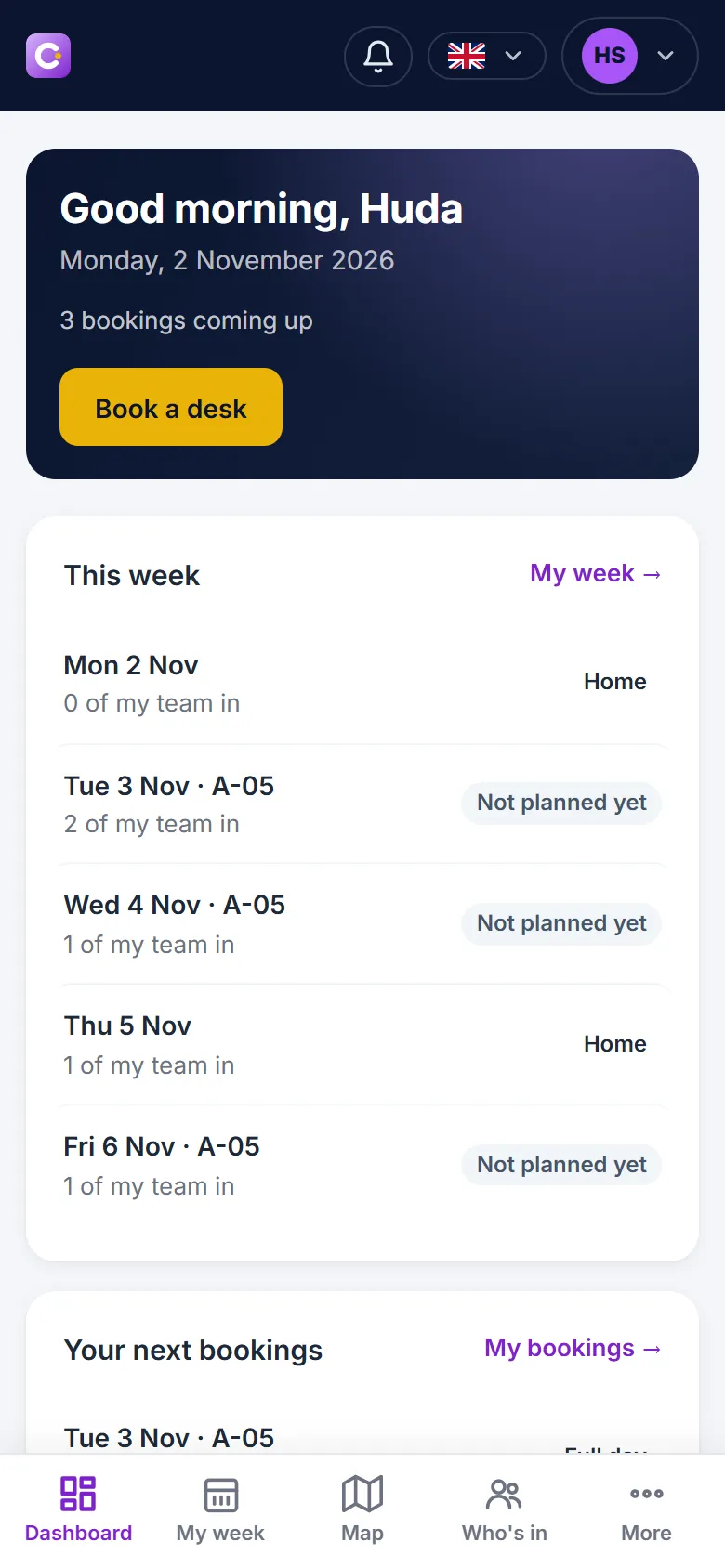
Each day of the week is Office, Home, Away or Off, with the desk booked for it and how many of the team are in.
The colleagues in the office on a day, with their desk and floor, and a star to follow the people you work with.
The Parking tab lists the spaces of the site with the morning and the afternoon, free or taken.
How full the office was per day, how many bookings were checked in, and how many were released.
Plan your week and book a desk from your phone, on the way to the office or the evening before.
Security and control
Workplace keeps your company's sites, people and bookings in its own workspace and lets administrators decide who may do what.