


One register for every obligation
Frameworks with versions, every requirement decided applicable or not, with its owner department and the controls that cover it.
Contralio Compliance · Frameworks, obligations, controls, assessments, evidence, findings
Available
Keep every regulation, standard, contract and internal policy in one register, with the controls that satisfy it, the evidence that the controls work, assessment campaigns signed off through a workflow, and findings whose corrective actions a second person verifies.
Why it matters
Replace the obligations spreadsheet, the evidence folders and the assessment emails with one system that shows, for every requirement, whether a control covers it and whether that control was found to work.
Frameworks with versions, every requirement decided applicable or not, with its owner department and the controls that cover it.
Covered means an implemented control is mapped. Effective means the latest signed-off assessment found it working. Both are shown, always.
Nobody assesses their own control, and a corrective action is verified by someone other than the person who did it.
A printable compliance report per framework, in English or Arabic, with the figures, the gaps, the signed-off campaigns and the open findings.
How it works
One compliance cycle, with the right people at each step.
Import a framework from Excel or type it in: sections and requirements, in versions that supersede each other.
Mark each requirement applicable, partially applicable or not, and give it an owner department.
Map the controls in your library to the requirements they satisfy, in full or in part.
Attach files or links with their validity dates; expiring evidence is flagged and the owners reminded.
Run a campaign: an item per control, assessors who are never the owners, comments, and sign-off through a workflow.
Raise findings from failed items or ad hoc, plan corrective actions, verify them and close the finding through a workflow.
Key features
Practical tools for compliance managers, control owners, assessors, approvers and management.
Regulations, standards, contracts and policies as frameworks with versions. Import from Excel with a dry run, up to five levels of sections and requirements, and a new version that keeps the decisions of the old one.
Every requirement of every active framework in one list: applicability, owner department, the controls that cover it, coverage and status, with filters and an Excel export.
Reusable controls with type, nature, frequency, owner and department, a status from Planned to Implemented or Retired, mapped to requirements in full or in part. Import from Excel.
Files or links with validity dates, linked to controls, items and actions. Current, expiring and expired at a glance, replacements that keep the history, and reminders before evidence runs out.
A campaign over a framework or some departments, an item per control, assessors assigned, results Effective, Partially effective or Ineffective, comments with mentions, My Tasks for everyone involved.
Sign-off and finding closure routed through stages you design, with conditions, approvers by person, role or department head, reminders, escalation, out-of-office cover and a tester.
Findings with severity, owner and a due date set by severity, raised from an assessment or an audit. Corrective actions with owners, proof, verification by a second person and closure through a workflow.
Figures per framework and per department that link to the lists behind them, seven reports with Excel export, and a printable compliance report in English or Arabic.
A department tree with heads and deputies, five standard roles plus your own, read-only viewers, and time-limited accounts for auditors and consultants.
A closer look
Real screens from Contralio Compliance. Click any picture to see it full size.
Every requirement with what applies, who owns it, which controls cover it and where the gaps are.
The requirements a control is mapped to, its evidence with validity, and the assessments it went through.
Each control in scope is an item with an owner and an assessor, moving from not started to concluded.
What was found and its root cause, the actions planned to fix it, and the verification of each.
A page to print or save as PDF for management or a committee, with the figures and the gaps per framework.
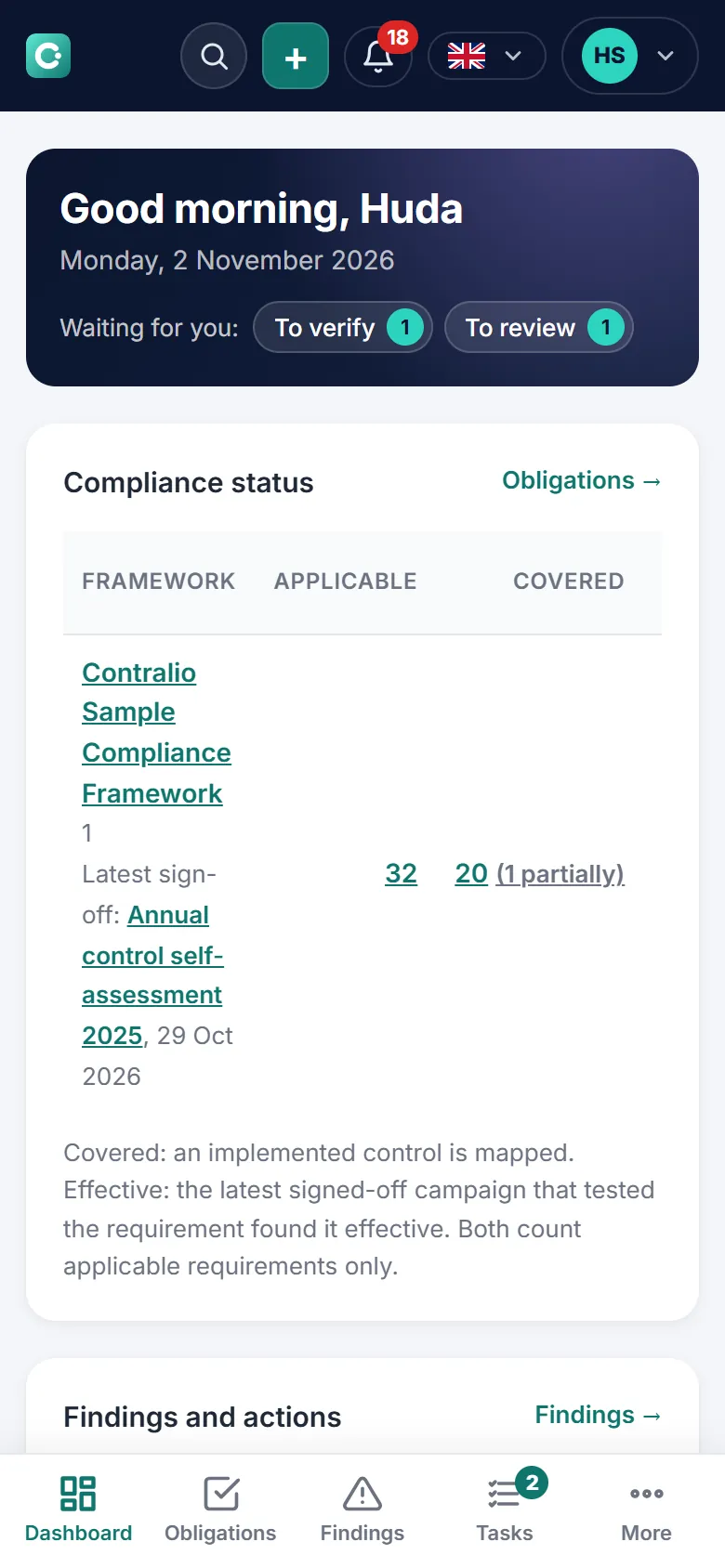
The compliance status and what is waiting for you on phones and tablets, wherever you are.
Security and control
Compliance keeps your company's register, evidence and assessments in its own workspace and makes every decision traceable.