


One route for every purchase
Every request follows the approval workflow for its category and amount, with the approvers fixed when it is submitted.
Contralio Procurement · Purchase requests, approvals and purchase orders
Available
Take each purchase from the first request through approval, quotes and the purchase order to delivery. The right people approve, budgets stay in view, and every decision is on record.
Why it matters
Replace purchase requests by email, approvals in chat and order spreadsheets with one process your teams follow and your finance team can trust.
Every request follows the approval workflow for its category and amount, with the approvers fixed when it is submitted.
Approvers and Procurement see how much of the cost centre's budget a purchase will use before they decide.
Compare quotes side by side; choosing one that is not the cheapest, or with fewer quotes than your policy asks, needs a reason.
Issued purchase orders never change: every change is a new revision with a reason, and deliveries are never edited.
How it works
One purchasing process, with the right people involved at each step.
A requester describes what is needed, with lines, quantities, prices and VAT.
The request goes through the approval workflow for its category, amount and cost centre.
Procurement records the suppliers' quotes, compares them and chooses one.
A numbered purchase order is issued as a PDF and emailed to the supplier.
Deliveries are recorded per line, in full or in part, until everything has arrived.
The order and the request are closed, and the spend counts in budgets and reports.
Key features
Practical tools for requesters, approvers, Procurement and Finance.
Lines with quantities, unit prices and tax codes, VAT worked out per line, files attached and a needed-by date. Procurement can raise a request for someone else.
Stages and rules on category, department, cost centre, currency and amount; approvers can be people, a role, the department head or the budget owner. Reminders and out-of-office cover included.
Quotes side by side with the cheapest, the fastest and expired ones marked, and a quote policy per currency that sets how many quotes each amount needs.
Numbered orders from the chosen quote, with a PDF showing net, VAT per rate, total and both TRNs, sent to the supplier by email, with the supplier's acknowledgement recorded.
A change to an issued order is a new revision with a reason. Above the approved amount plus your tolerance, in another currency or with another supplier, it is approved again.
Record deliveries per line by quantity, percentage or amount. A wrong delivery is reversed with a reason, and an order can be closed early when the rest will not come.
A budget per cost centre and fiscal year, with committed, projected and remaining amounts. Warnings at levels you choose, without ever blocking an approval or an order.
Spend by month, department, supplier and category, open purchase orders and late deliveries, with Excel exports that match the totals on screen.
A supplier list that warns about duplicates by TRN or trade licence, plus departments, cost centres, categories, tax codes and currencies, with an Excel import and a dry run.
A closer look
Real screens from Contralio Procurement. Click any picture to see it full size.
Each request shows where it stands, who approves at each step and how much of the cost centre's budget it will use.
Procurement records the quotes it receives and sees them in columns, ready to choose.
Administrators build each workflow in stages and decide who approves under which conditions, with no code involved.
The order page shows the supplier, the amounts, what has been delivered and every revision.
Finance sets a budget for each cost centre and fiscal year and sees what is committed and what is coming.
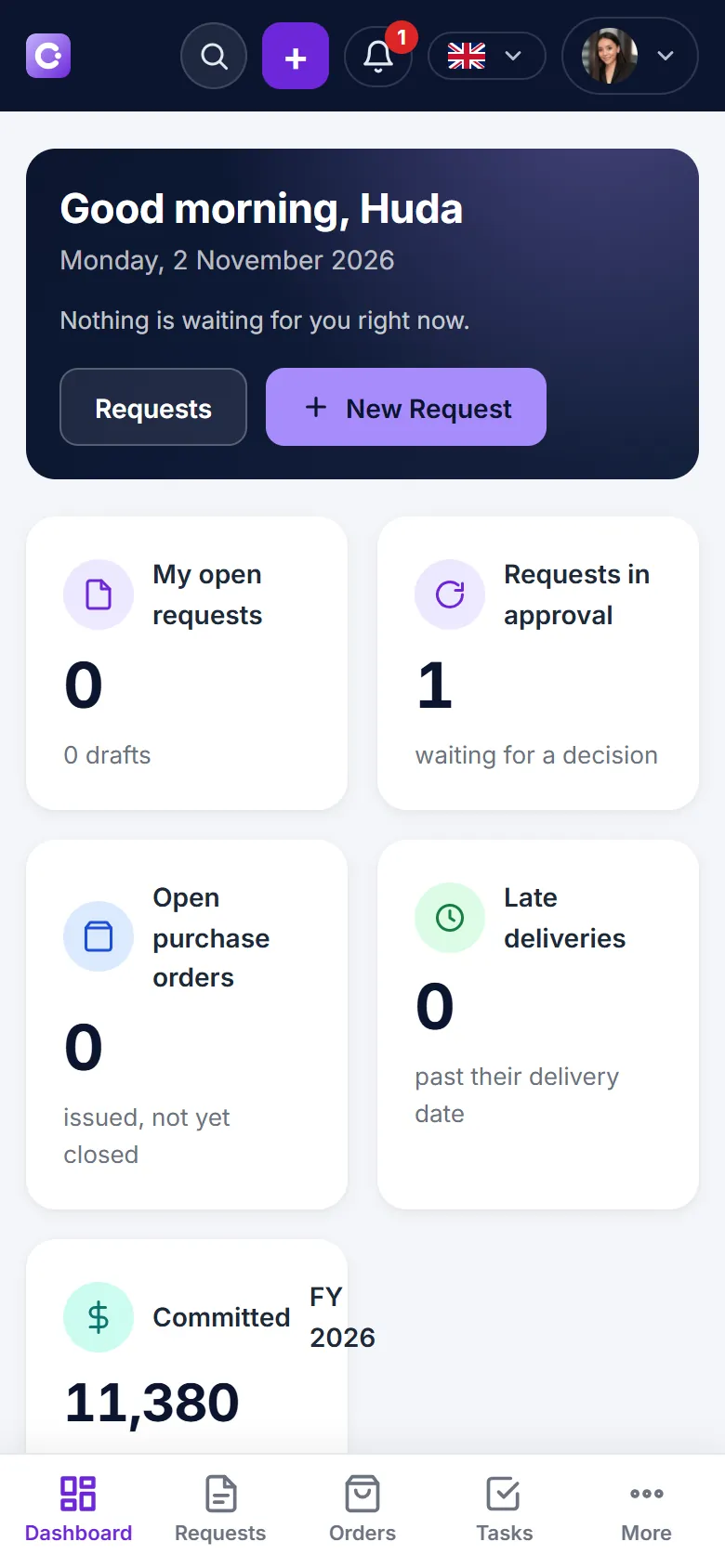
Raise a request or decide on one from your phone, so purchases do not wait until someone is back at a desk.
Security and control
Procurement keeps your purchasing within your own company workspace and gives teams control over who can see, approve and order.